Choosing a remote control robot can feel simple until the options start to blur. A compact crawler, a camera-equipped rover, and a programmable kit may share the same label, yet serve very different needs. The right choice depends on where it will run, who will use it, and what it must do. Small details matter. Grippy treads can handle carpet edges, while smooth indoor wheels may struggle on gravel.
This guide introduces ten common types of remote control robots for buyers, from beginner-friendly toys to capable hobby models. It highlights practical differences in control range, battery life, movement, durability, and available features. These details can help match a robot to a playroom, classroom activity, or weekend project. No single model fits everyone. Even a feature-rich robot can disappoint if its controls feel awkward or replacement parts are difficult to find. Specifications vary by manufacturer, so check product details and user instructions before buying. Consider the surface, available space, and time needed for charging or assembly. A little planning helps. The goal is not to buy the most advanced robot, but one that performs reliably in your setting. Some trade-offs remain, and they deserve a closer look. A simpler model may be more enjoyable than a complicated one that rarely leaves its box. This overview offers a practical starting point for comparing options.
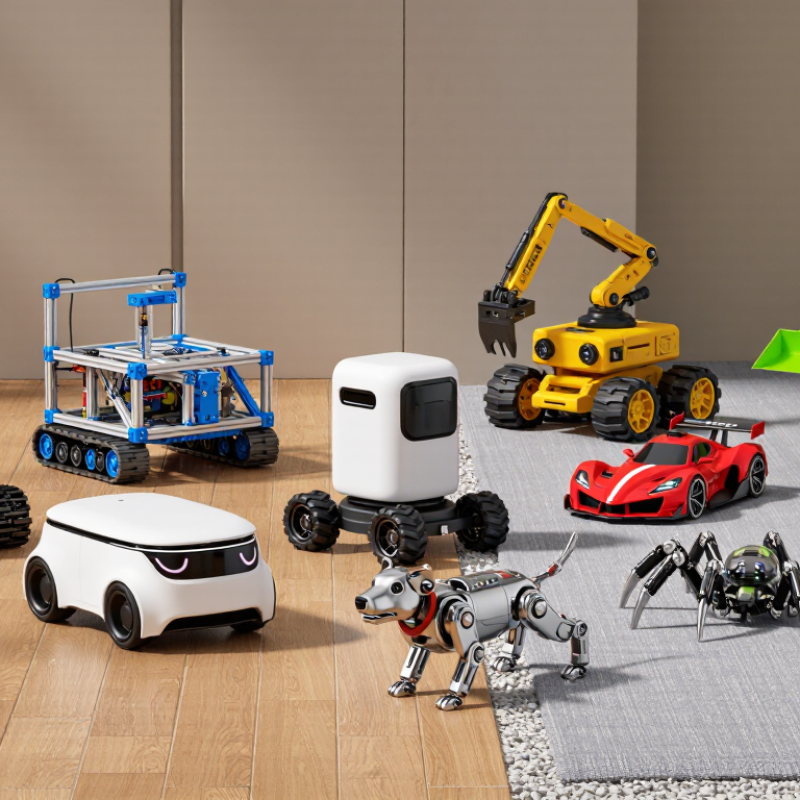
How Remote Control Robots Work and Which Features Define Them
Remote control robots turn a person’s inputs into movement through a control link. A handheld transmitter, tablet, or computer sends commands to onboard electronics. Motors then drive wheels, tracks, legs, or articulated arms. A camera may return live video, while sensors report distance, temperature, or battery status. The operator sees and adjusts. Response time matters: even a brief delay can make precise steering harder, especially around narrow corners or uneven ground.
Features define how well a robot fits a task. Check the control range under realistic conditions, not only the distance listed in ideal tests. Walls, metal structures, and interference can weaken a signal. Mobility matters too: rubber tracks may cross gravel more steadily than small wheels, but can use more energy. Look at camera angle, lighting, sensor coverage, battery runtime, and payload capacity together. A bright screen is not much help if the lens misses the robot’s working area. Safety features, such as an emergency stop and a clear low-battery warning, can reduce avoidable mistakes. Small details count. I have found that specifications can look reassuring on paper, yet handling may feel less natural than expected. A short supervised trial reveals that gap. Not every robot needs every feature. Match the controls and hardware to the surfaces, visibility, and precision your work actually requires.
Top 10 Types of Remote Control Robots for Buyers - How Remote Control Robots Work and Which Features Define Them
| Robot Type | How It Moves | How Remote Control Works | Features That Define It | Common Applications | Key Buying Considerations |
|---|---|---|---|---|---|
| Wheeled Ground Robot | Uses two or more powered wheels; steering may be differential, Ackermann-style, or provided by swiveling wheels. | A handheld controller or computer sends drive and steering commands over a radio link or network. A camera and onboard sensors can send video and status information back. | Efficient on firm, relatively smooth floors and paths; commonly supports modular sensors, cameras, or small payloads. | Warehouse transport, research, education, and indoor inspection. | Check floor clearance, wheel traction, turning space, payload capacity, battery endurance, and whether the control link suits the operating environment. |
| Tracked Ground Robot | Moves on continuous tracks, often steering by driving the left and right tracks at different speeds. | Commands are transmitted from an operator station by radio or another communications link. Cameras and telemetry can provide feedback for driving when the robot is out of direct view. | Tracks provide a large contact area and can improve traction on loose or uneven ground, although they may be less efficient than wheels on smooth surfaces. | Outdoor inspection, disaster-response reconnaissance, and operations on rough terrain. | Compare ground clearance, track durability, turning behavior, total weight, obstacle limits, and the terrain the robot is designed to handle. |
| Legged Robot | Walks using articulated legs and coordinated joint movements; some designs can climb steps or negotiate irregular terrain. | The operator sends motion or task commands through a controller. Onboard control systems coordinate joint actuators and use sensors to help maintain balance. | Can place its feet on separated footholds and adapt its gait; mechanical complexity and energy use are typically greater than for simple wheeled platforms. | Research, remote site surveys, and testing mobility on difficult terrain. | Review terrain capability, stability, operating time, maintenance needs, payload limits, and whether the robot has assisted or fully manual control modes. |
| Multirotor Aerial Robot | Uses several powered rotors to lift, hover, and move in different directions. | A radio controller or networked ground station sends flight commands. Cameras and flight telemetry may be returned over a separate or combined link; flight-control electronics stabilize the aircraft. | Vertical takeoff and landing, hovering, and access to elevated viewpoints; flight time is limited by battery capacity and payload. | Photography, mapping, inspection, and aerial observation. | Check permitted operating conditions, flight time, camera or sensor payload, wind tolerance, control-link coverage, and return-to-home or other safety functions. |
| Fixed-Wing Aerial Robot | Generates lift with wings while moving forward; it generally needs a launch and recovery method suited to its design. | A ground station sends navigation or control commands by radio. Position, flight status, and sensor data can be transmitted back when the communications link allows. | Often suited to covering larger areas efficiently, but unlike a multirotor it generally cannot hover in place. | Wide-area mapping, environmental surveys, and agricultural observation. | Consider launch and landing space, endurance, survey coverage, payload, wind limits, and the availability of a reliable communications and navigation setup. |
| Underwater Remotely Operated Vehicle (ROV) | Uses thrusters to move and orient itself underwater. | An operator controls the vehicle from the surface. Many ROVs use a tether that carries control and video signals; the tether can also supply power on some systems. | Designed for submerged operation and commonly equipped with a camera, lights, depth sensing, and optional sonar or tools. | Marine inspection, aquaculture, underwater research, and visual surveys of submerged structures. | Check rated depth, tether length, thruster arrangement, camera visibility, lighting, optional sensor compatibility, and the support equipment required at the surface. |
| Remote-Controlled Surface Vessel | Moves across water using a propeller, water jet, or other marine propulsion system; steering is commonly provided by a rudder or directed thrust. | A shore-based controller or station sends steering and throttle commands by radio or network. Position, onboard sensor readings, and video may be returned to the operator. | Operates on the water surface and can carry instruments for water sampling, observation, or survey work. | Water-quality monitoring, lake and harbor surveys, and education. | Assess hull stability, payload and instrument capacity, operating range, water conditions, communications coverage, and safe recovery arrangements. |
| Hazardous-Environment Manipulator Robot | Usually uses wheels or tracks to position a remotely operated arm and end effector. | The operator uses a console or hand controls to drive the base and manipulate the arm. Cameras provide visual feedback; some systems also provide force or position feedback. | Combines remote mobility with a robotic arm, gripper, or tool for handling objects without placing the operator nearby. | Remote inspection, handling hazardous materials, and specialist emergency-response tasks. | Compare arm reach, payload at full extension, tool compatibility, camera coverage, mobility, operator training needs, and relevant safety requirements. |
| Pipe or Duct Inspection Crawler | Uses wheels, tracks, or a guided carriage sized for a pipe, duct, or confined passage. | An operator sends movement commands from a control unit. Video and inspection data are commonly relayed over a tether, which can also help recover the crawler. | Compact construction, a forward-facing camera, and a form factor matched to a particular pipe or duct size; some versions carry inspection sensors. | Inspection of drains, sewers, industrial pipes, and building ducts. | Confirm compatible pipe diameter, bend and junction limits, camera lighting, tether length, water or debris tolerance, and the inspection data required. |
| Telepresence Robot | Typically uses a wheeled base to move through indoor spaces. | A remote user controls movement through an internet-connected application or computer. A camera, microphone, speaker, and display support live audio and video communication. | Combines remote mobility with two-way communication; it is intended to help a person participate remotely rather than perform heavy physical work. | Remote meetings, education, facility visits, and communication in workplaces or care settings. | Check network requirements, camera and microphone quality, battery life, navigation assistance, privacy controls, accessibility, and compatibility with the intended space. |
FAQS
A transmitter, tablet, or computer sends commands to onboard electronics. Motors move its wheels, tracks, legs, or arms.
A camera may send live video, while sensors report distance, temperature, or battery status. Small details matter.
Check range in realistic conditions. Walls, metal structures, and signal interference can shorten it.
Tracks may handle gravel more steadily than small wheels, but they can use more energy. Smooth floors need different traction.
Check camera angle, lighting, and sensor coverage. A low camera may miss obstacles directly ahead.
Look for runtime during active driving, not only idle-time claims. Test conditions can differ between models.
Check the emergency stop, speed limits, and what happens when the signal drops. Test them slowly in a clear area.
Inspect tracks or tires, joints, cables, battery housings, and charging connections. A loose connector can cause intermittent control.
Yes. Try the robot on your actual floor or terrain. Specifications can reassure me, but handling may still feel awkward.
Conclusion
A Remote control robot can be operated from a distance to perform tasks, explore environments, or provide entertainment. Its performance depends on features such as control method, battery life, camera or sensor options, movement system, and communication range. Common categories include wheeled, tracked, walking, flying, underwater, educational, industrial, inspection, rescue-support, and hobby robots. Each type is designed for different conditions and user needs, so buyers should match the robot’s capabilities to its intended purpose.
When comparing options, consider operating range, terrain, speed, stability, payload capacity, and how easily the robot can be controlled. A model suited to smooth indoor floors may not handle rough outdoor ground, while a robot designed for exploration may prioritize cameras and sensors. Buyers should also check charging requirements, spare-part availability, and maintenance needs. Follow the manufacturer’s operating instructions, keep the robot away from unsuitable environments, and inspect its controls, battery, and moving parts regularly to support safe, reliable use.